Overview
Backlog is an application for keeping track of movies, TV shows, books, and games. It allows users to keep track of different content, keep a single ordered backlog, and track status, rating, notes, start/finish dates, and progress for each entry.
The application is written in React and is hosted on Cloudflare and Supabase. It additionally uses a CI workflow to build an Android app by using Capacitor. As this application is intended for personal use, access is restricted to an email allow-list, but allow-listed users can sign in with email or through Google authentication. I wanted this application to be free to host, so it is designed around using Cloudflare and Supabase free tiers.
Architecture
The frontend is built with Vite, React, and Tailwind. The same build is deployed to the web as a Cloudflare Worker serving static assets, and bundled into an Android APK with Capacitor. When a commit is tagged with a version tag, a release of the APK is built by a GitHub CI workflow and published in a GitHub Release.
The backend is contained within Supabase: Postgres with RLS (Row-Level Security), Supabase Auth (Email, Google), and two edge functions. The edge functions (search and details) make requests to the needed API:
- TMDB - movies and TV shows
- IGDB - video games
- Google Books - books
- Custom items - anything not found in the above, entered by hand
Data Model
The database is split into a shared media catalog and per-user entries. Catalog rows are a snapshot of the metadata from the source, written only by the details function. Entries hold everything personal: status, rating, notes, dates, and progress. Row-level security makes entries owner-only, and sign-ups are gated by a Postgres hook that checks the email against an allow-list.
There are five statuses (Backlog, In progress, Completed, On hold, Dropped), with “In progress” reading as Watching, Reading, or Playing depending on the type. Ratings are stored as integers from 1-10 and displayed as five stars with half-steps.
Frontend
Backlog contains three primary routes - the library page, the search page, and the entry page.
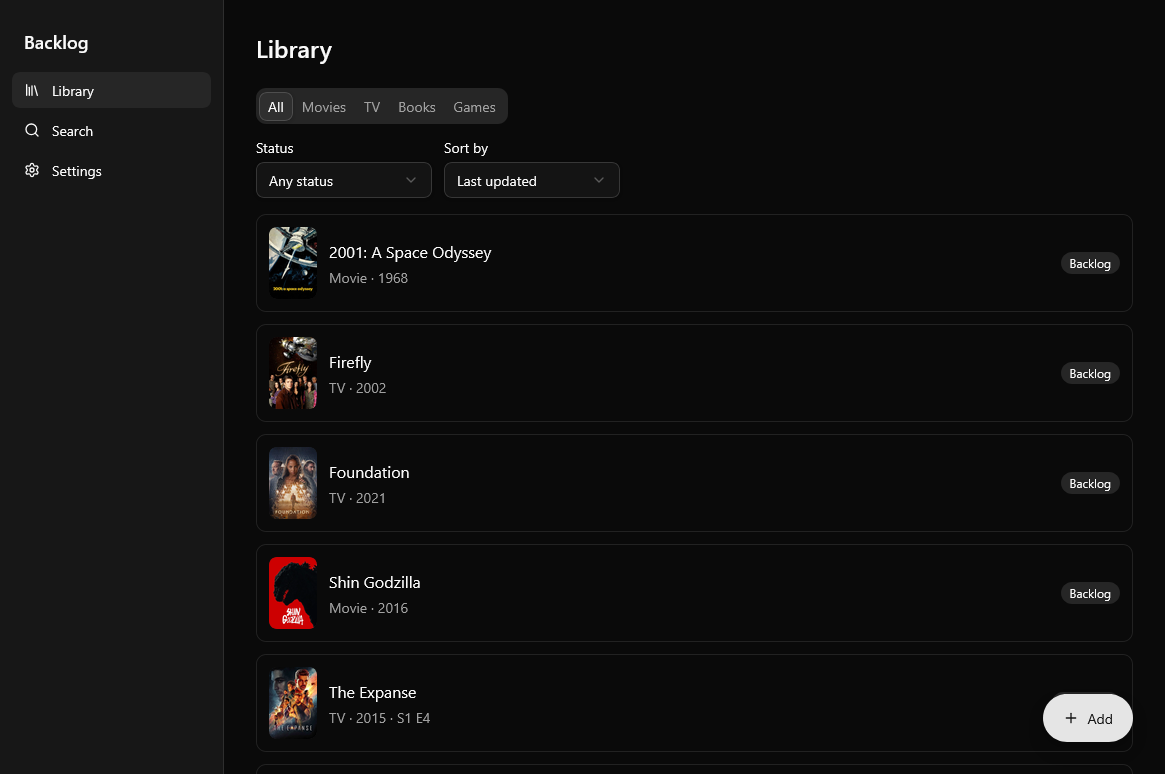
The library page queries the entries and media tables and shows all of the user’s saved entries. It allows the user to filter the entries based off of media type, status, and date added. The library defaults to showing the last updated entries on the top but users can sort the entries in different ways.
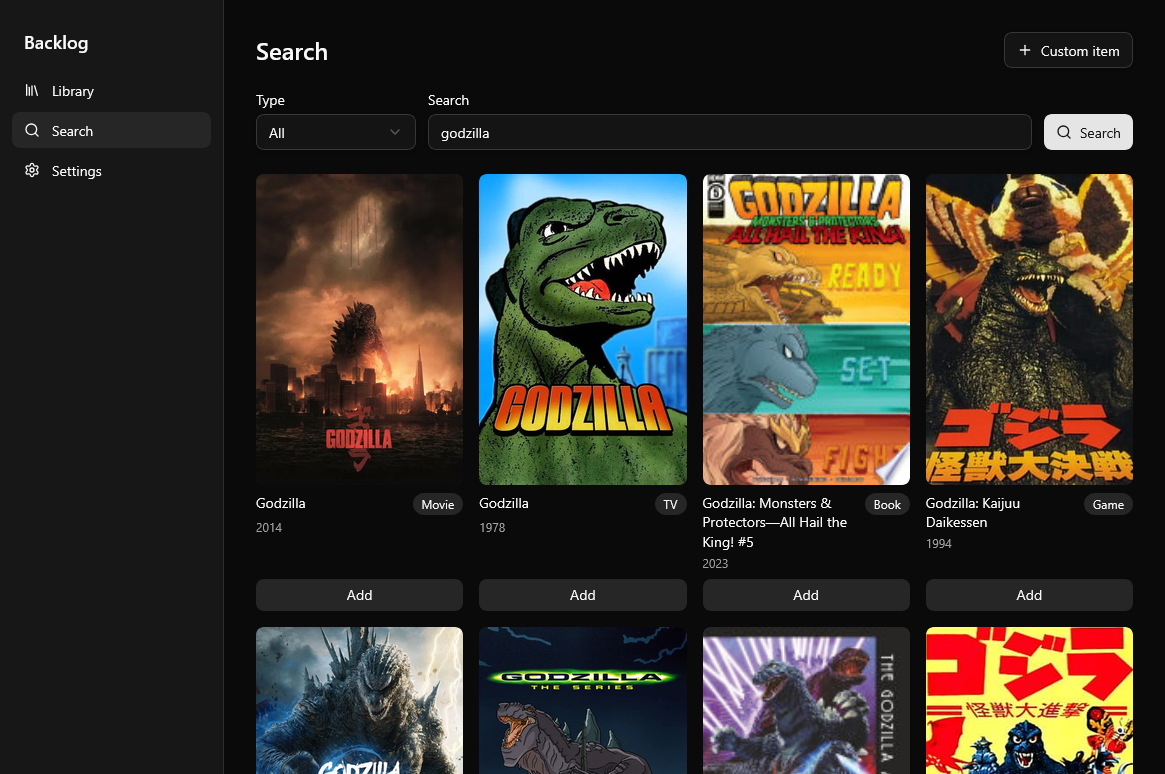
The search page allows users to search for different media based off a specified type by calling the search edge function. If the type is all, requests will be made to all APIs whereas if the type is a specific media type, only that respective API will be called. When all APIs are used, search results alternate between different media types to ensure that the user sees a mix of all results instead of having to scroll far down to see a specific media type.
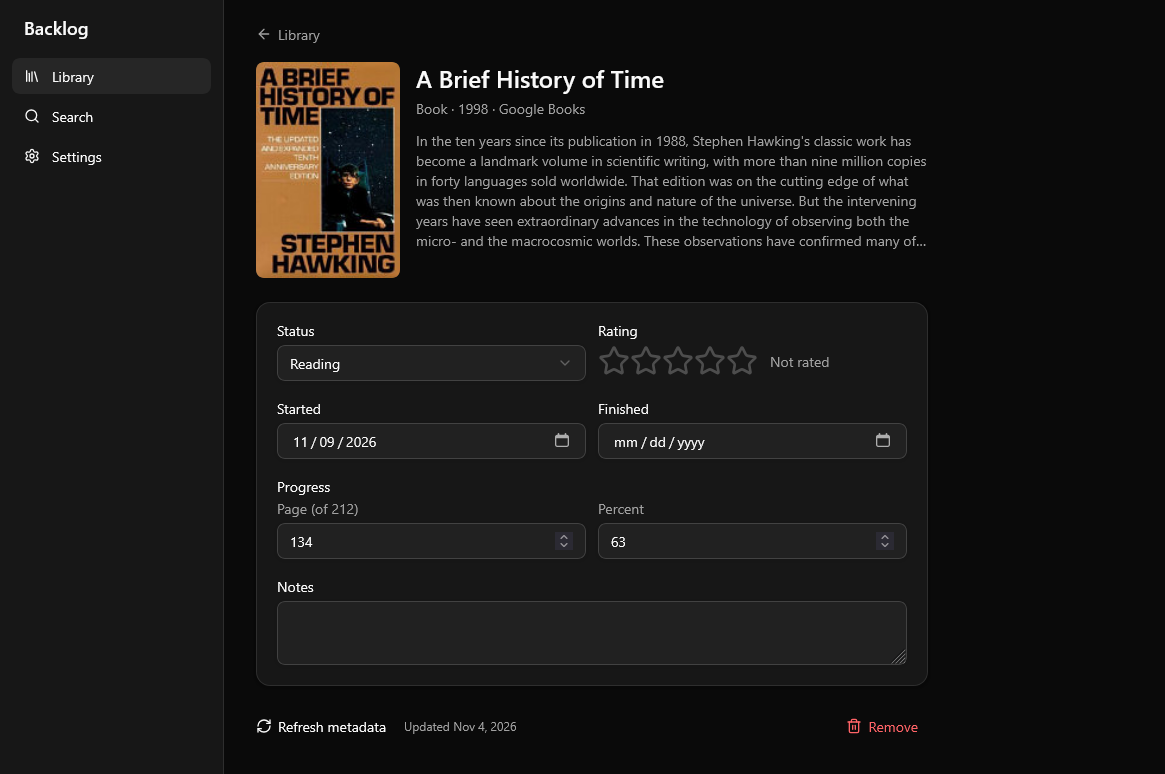
The entry page shows information specific to a specific entry by quering the entries table. The information shown is specific to the media type. For example, as discussed in more detail below, TV show entries allow you to keep track of progress through each episode whereas book entries allow you to keep track of percentage completion of the book.
Some interesting design decisions are discussed in more detail below:
Backlog Ordering
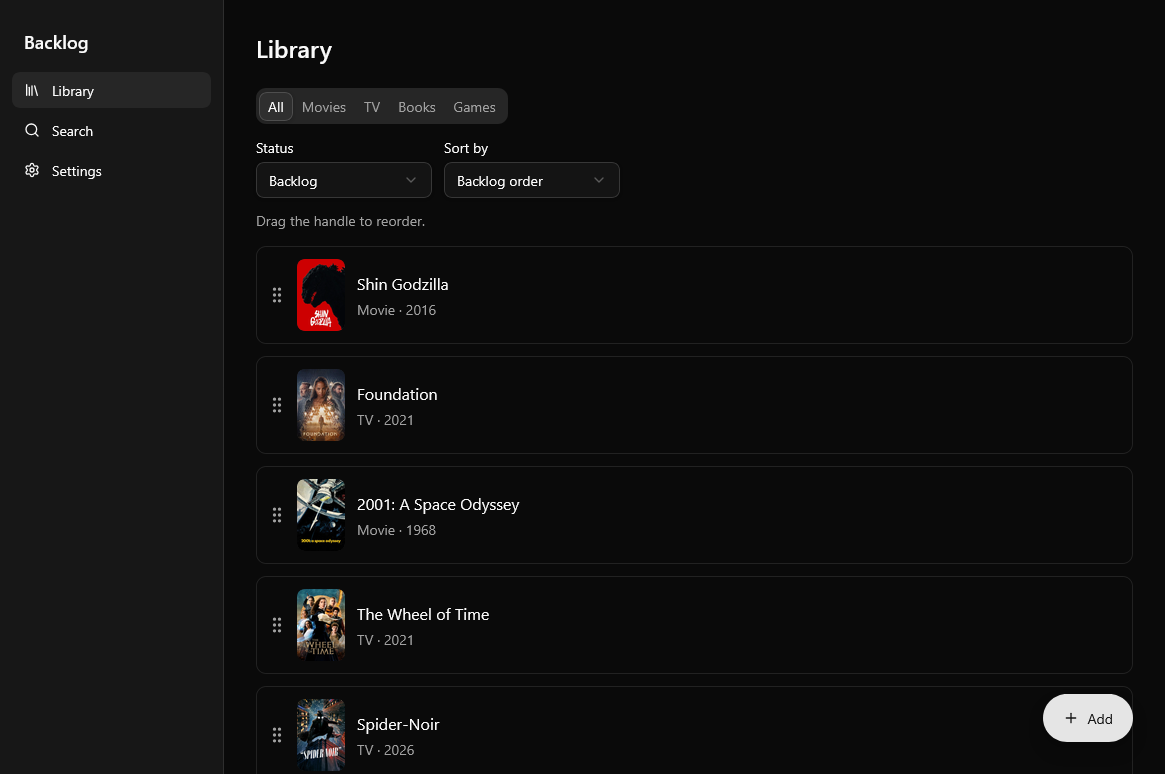
To make the backlog more customizable, I wanted to have a way to change the order of the different media in my backlog. I also wanted to make sure that if I changed the backlog order for a specific media type, this didn’t update their overall backlog position compared with all of the entries.
There is one global backlog, and each media type gets a tab that shows its filtered backlog. Reordering is done through drag-and-drop so the order needs to be cheap to update and consistent across devices.
To do this, each backlog entry stores a fractional index: a string key that sorts between its neighbors, so moving an item only rewrites that one row instead of renumbering the whole list. A couple of subtle issues came up along the way:
- Postgres and JavaScript have to agree on how keys sort. The column uses
collate "C"and the client compares keys by code unit, never withlocaleCompare. - Reordering within a type tab originally only checked against the visible items, so moving a show to the top of the TV tab could jump it to the top of the entire backlog. Now a type tab swaps its entries among the global slots they already hold, so other types never move. When that requires several rows to change, they are written in a single database call so a reorder can’t half-apply.
I verified this with a seeded randomized test that runs 300 backlogs and moves, checking that the resulting order is exact and that other types are never written.
TV Progress
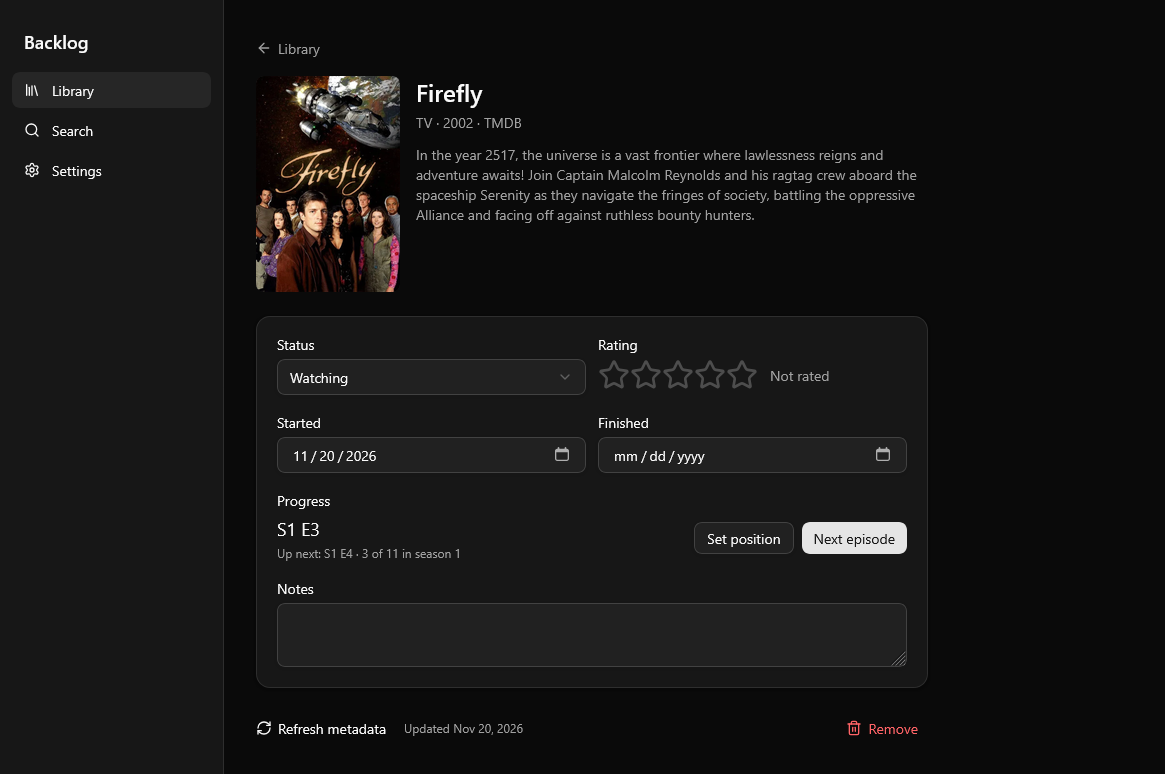
For TV shows, each entry keeps a pointer to the last episode watched, starting at S1E0, with a “Next episode” button to step forward. Rolling over between seasons uses the episode counts from TMDB, skipping announced seasons that don’t have any episodes yet. Only aired episodes are offered: for a show that’s still airing, it stops at the latest episode with the next air date, and says “You’re caught up” at the end of a season instead of prompting to mark the show completed. That prompt only appears once a show has actually ended.
Testing and CI
The project is built around a thorough test suite, all run in CI on GitHub Actions:
- Unit and component tests (Vitest) - domain logic and screens, with the API layer mocked
- Row-level security tests - run against a real local Supabase instance to confirm users can only touch their own data
- End-to-end tests (Playwright) - sign in, search and add, reorder, TV progress, and opening the saved library offline
Learn More
The hosted version of Backlog is currently allow-listed, but the code for this project and instructions for self-hosting can be found in the Github repository here.